hadoop上下线节点操作
因为我们的hadoop集群,实现了ambari上扩展第三台anmendoe服务和扩容第二个ambari服务来进行hdfs namenode联邦到6个集群进行管理,所以在上下线节点上需要特殊操作,以下是具体操作流程。
hadoop上线节点操作
ambari文档参考:https://docs.cloudera.com/HDPDocuments/HDP3/HDP-3.1.5/administration/content/add-slave-nodes.html
1:配置机架信息
1)在fs-ambari-server-.xx.com机器上,目录:/var/www/html/filemanager/file/topology_mappingsa.data 文件中新增机器机架信息
- 官方文档:https://hadoop.apache.org/docs/r3.1.1/hadoop-project-dist/hadoop-common/RackAwareness.html
2)修改ambari中的文件管理 topology文件的md5值,这里主要是提供给NM服务用的
备注:这个是基于ambari插件编写的文件同步服务,每个节点都会装一个,会自动把需要更换的文件替换掉,比如补丁升级后的jars,自定义的配置文件等。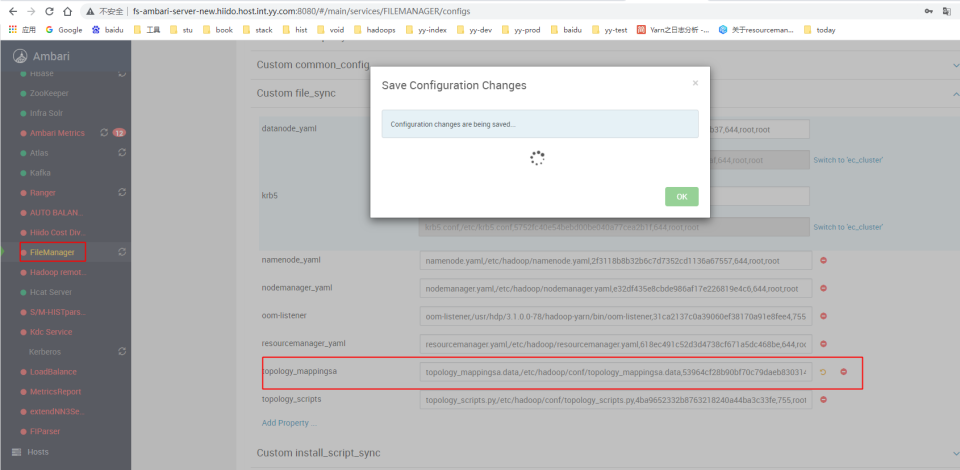 3)在运维管理服务里,选择namenode_topology_(最高版本),重启下面的实列就可更新节点上的topology_mappingsa.data文件,验证文件:md5sum /etc/hadoop/conf/topology_mappingsa.data
备注:运维管理服务是自定义的脚本执行管理,如果没有,可以手动进行管理和执行,主要是批量替换文件或批量执行shell命令相关操作。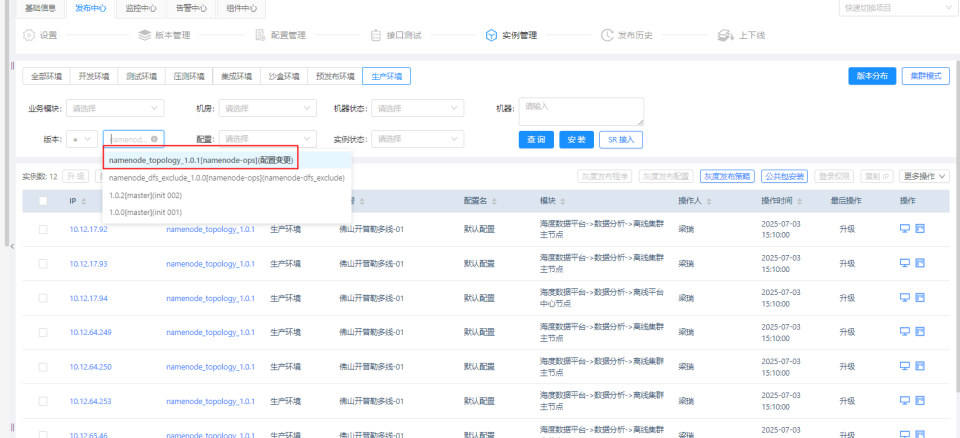
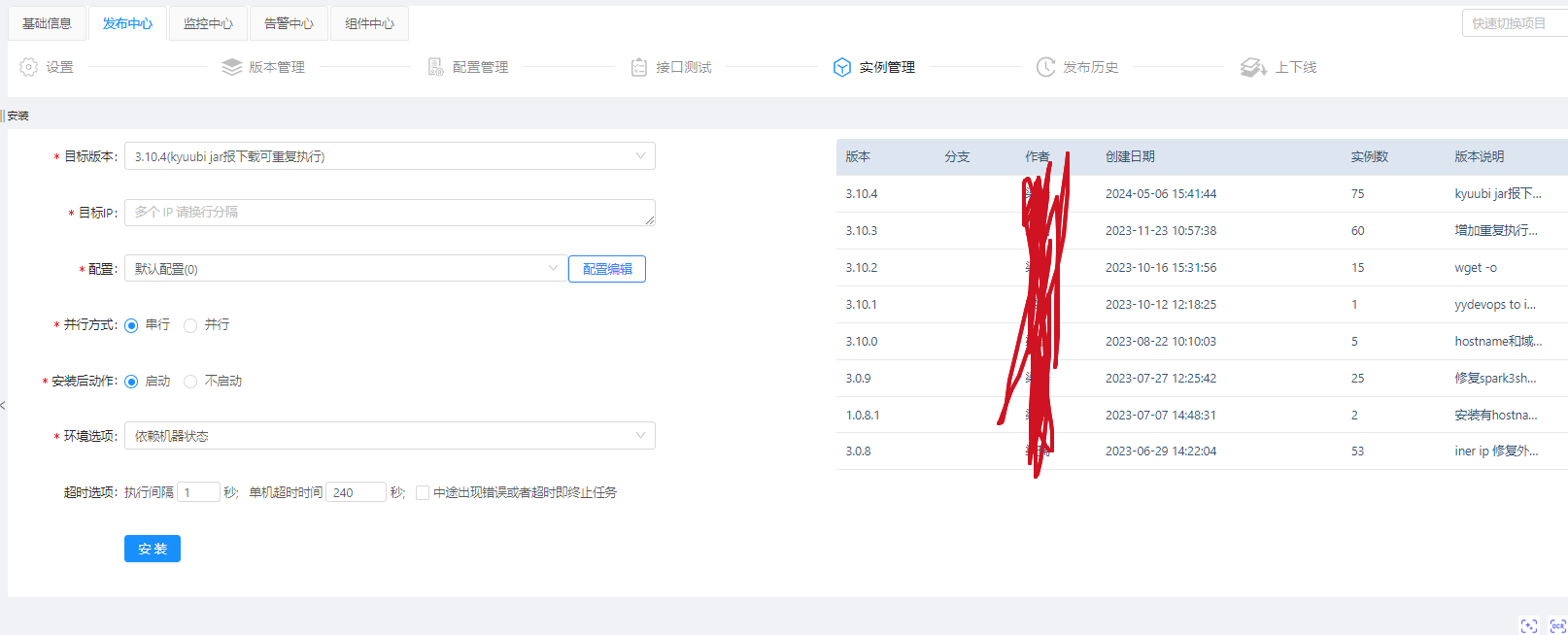
2:服务器初始化hadoop环境
这个服务安装了hadoop需要环境和下载需要的jars到本地
3:刷新NN服务
执行namenode刷新命令
     hdfs dfsadmin -fs hdfs://yycluster01 -refreshNodes
     hdfs dfsadmin -fs hdfs://yycluster02 -refreshNodes
     hdfs dfsadmin -fs hdfs://yycluster03 -refreshNodes
     hdfs dfsadmin -fs hdfs://yycluster05 -refreshNodes
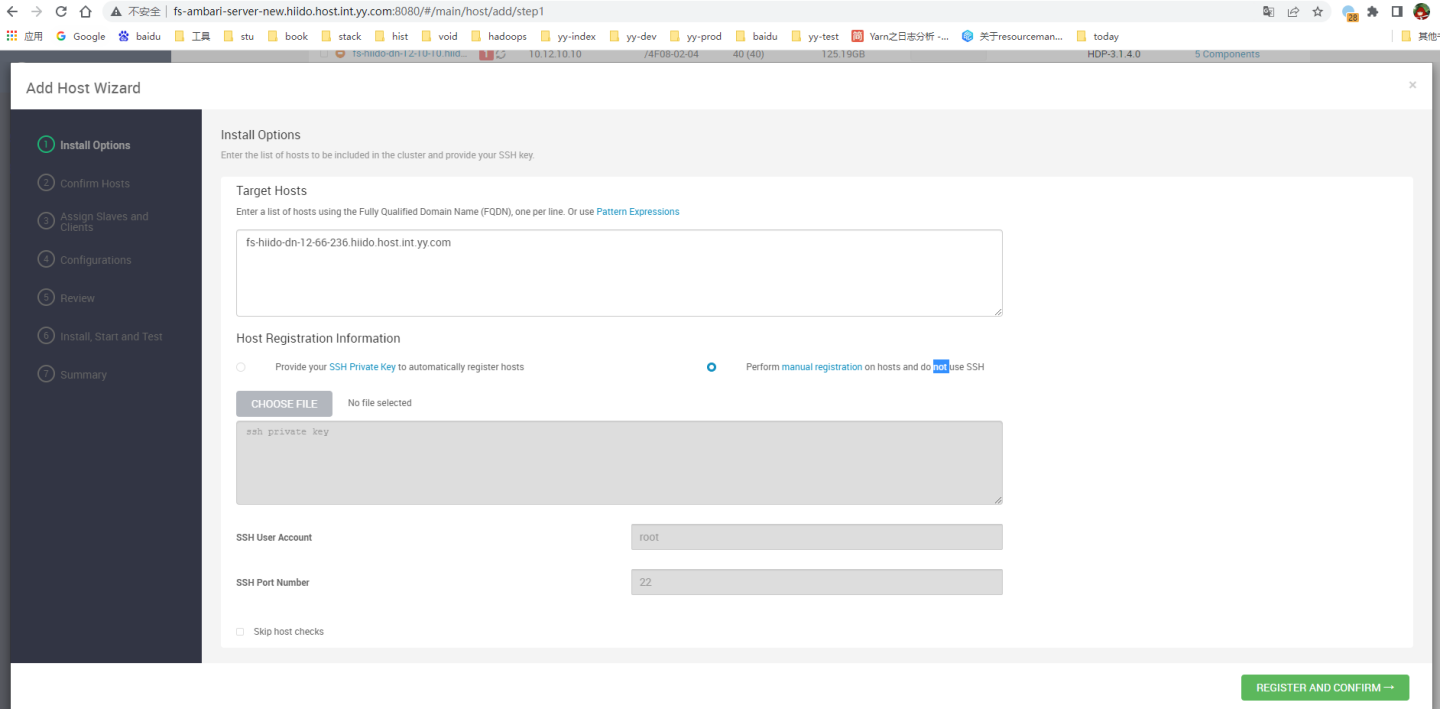
4:在ambari上进行安装相关hadoop服务包
ambari会进行相关hdp服务包的配置下载,点完这个流程后,服务会自动启动
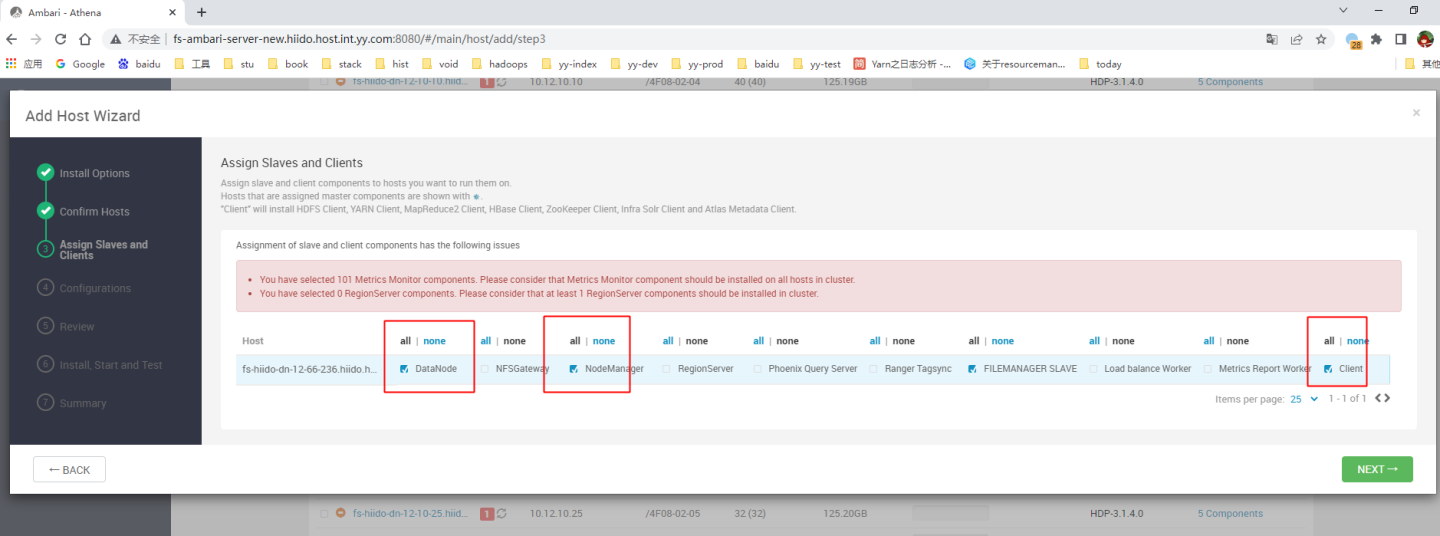
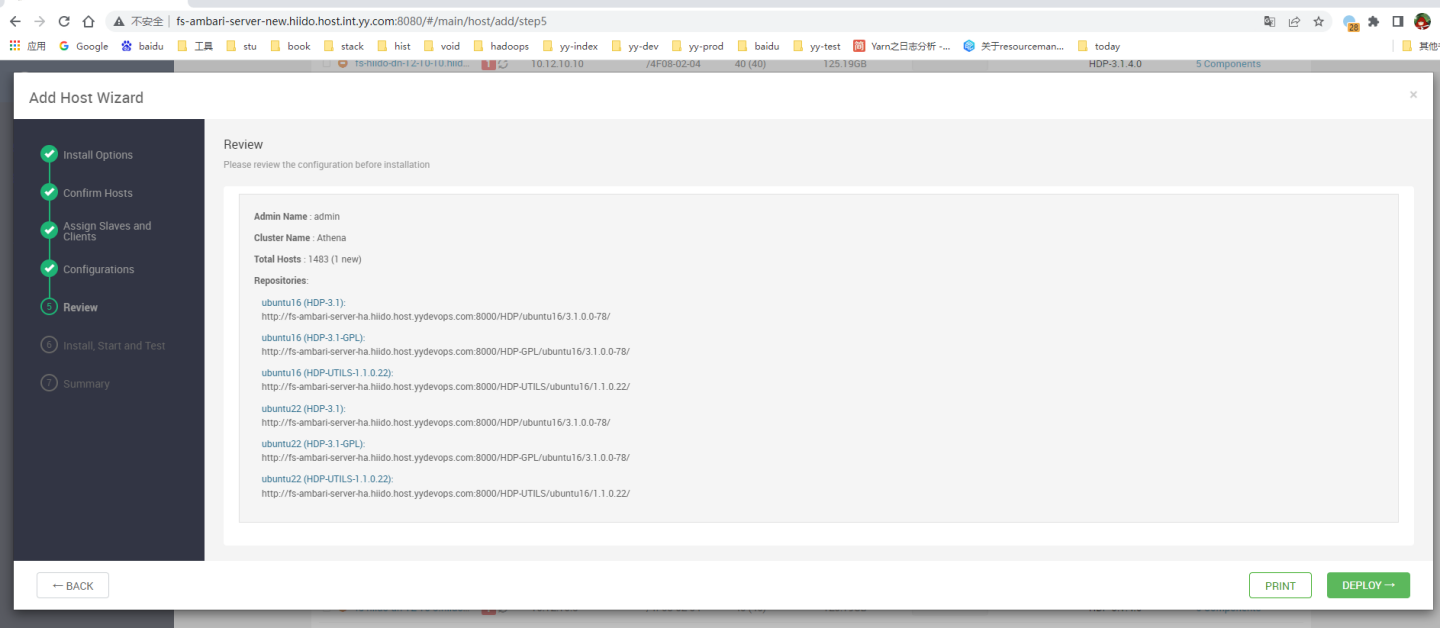
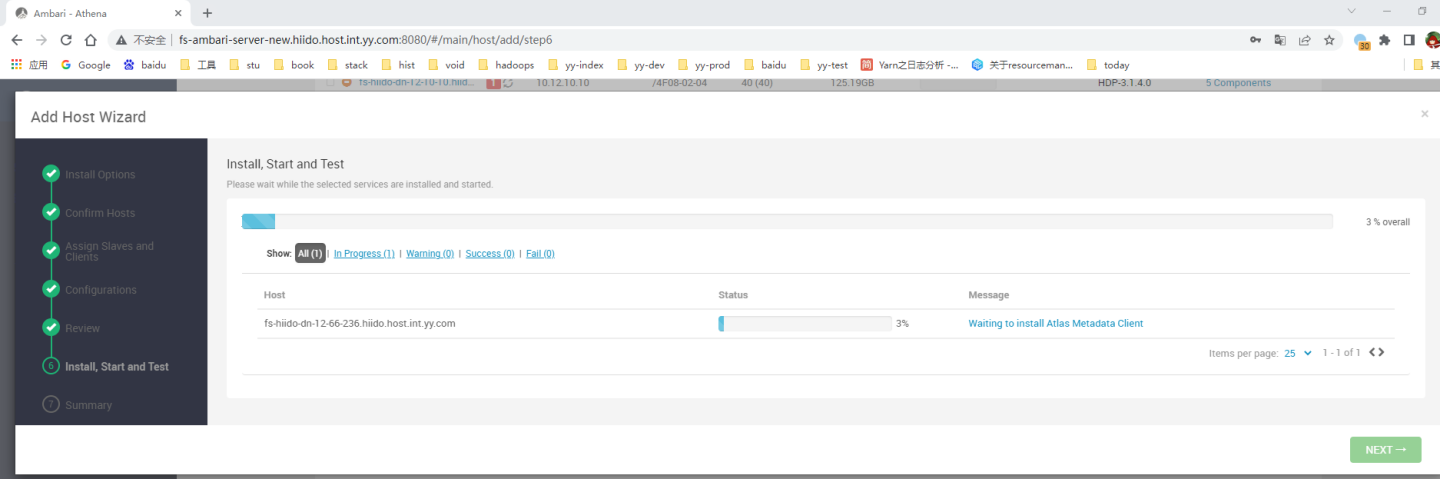
5:检查服务日志是否正常
1:检查服务器上进程和服务日志是否正常运行和输出
2:检查机架信息是否一致
hdfs dfsadmin -printTopology | grep -A 20 -B 20 fs-hiido-dn-12-68-228.hiido.host.xx.xx.com
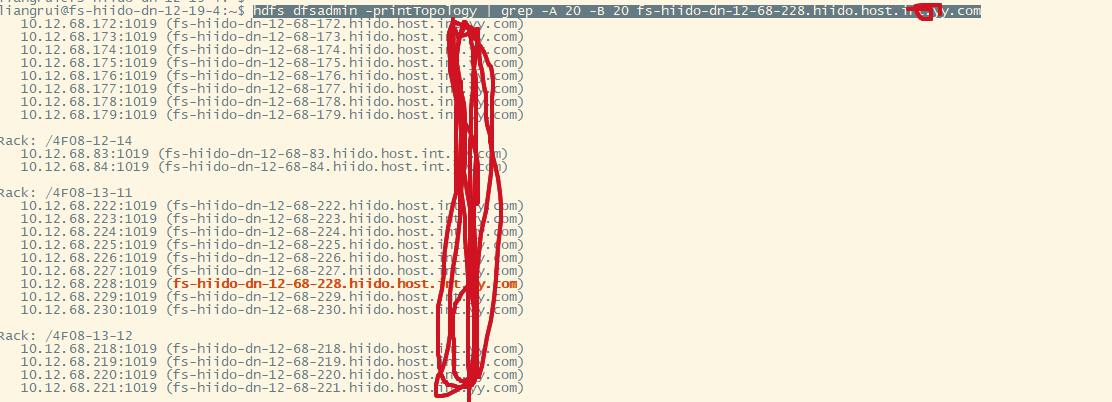
hadoop退役节点操作
正常退役节点,ambari操作文档参考:https://docs.cloudera.com/HDPDocuments/HDP3/HDP-3.1.5/administration/content/decommissioning-slave-nodes.html
因有两个ambari在管理dn,在主ambar上执行后,并不会退役第二个ambari上的nn服务,需要执行以下命令进行退役。
1:在主ambari上执行退役datanode
2:在运维管理服务上执行dfs.exclude文件变更,版本选择namenode_dfs_exclude_(最高版本)
备注:这个是批量执行在没有ambari上正常操作退役后,扩展出来的nn上的文件没有更新,需要额外的批量执行
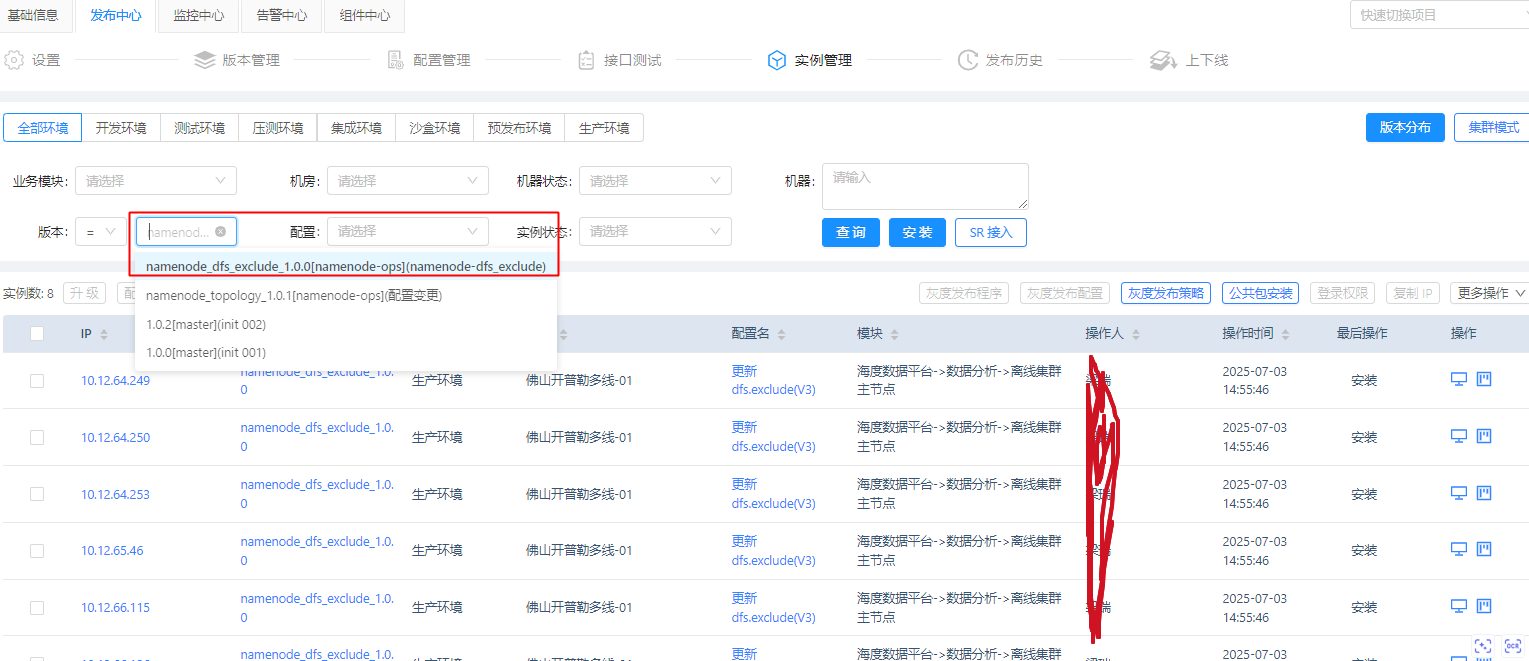 随机上一台nn验证: cat /etc/hadoop/conf/dfs.exclude
3: 执行刷新
随机上一台nn验证: cat /etc/hadoop/conf/dfs.exclude
3: 执行刷新
# 跳板机上执行
ssh fs-hiido-yycluster01-yynn3.xx.com  "sudo -s su hdfs -c 'hdfs dfsadmin -fs hdfs://fs-hiido-yycluster01-yynn3.xx.com:8020 -refreshNodes'"
ssh fs-hiido-yycluster02-yynn3.xx.com  "sudo -s su hdfs -c 'hdfs dfsadmin -fs hdfs://fs-hiido-yycluster02-yynn3.xx.com:8020 -refreshNodes'"

#或hdfs客户端上执行03 05退役
hdfs dfsadmin -fs hdfs://yycluster03 -refreshNodes
hdfs dfsadmin -fs hdfs://yycluster05 -refreshNodes
4:过3-5天查看退役状态,在hdfs web页面上看到退役完成后,即可删除datanode。进行隔离下线即可
5:如果在ambari2上执行退役,会更改nn3-6的dfs.exclude文件,如果再次刷新节点,会重新把之前的dn退役后,没有stop掉的dn重新拉回去。(不能同时两边操作退役dn)