发布:
大纲:
cortex统一存储prometheus
参考文档
官方文档:https://cortexmetrics.io/docs/architecture/
AWS服务化:https://aws.amazon.com/cn/prometheus/
cortex 架构图
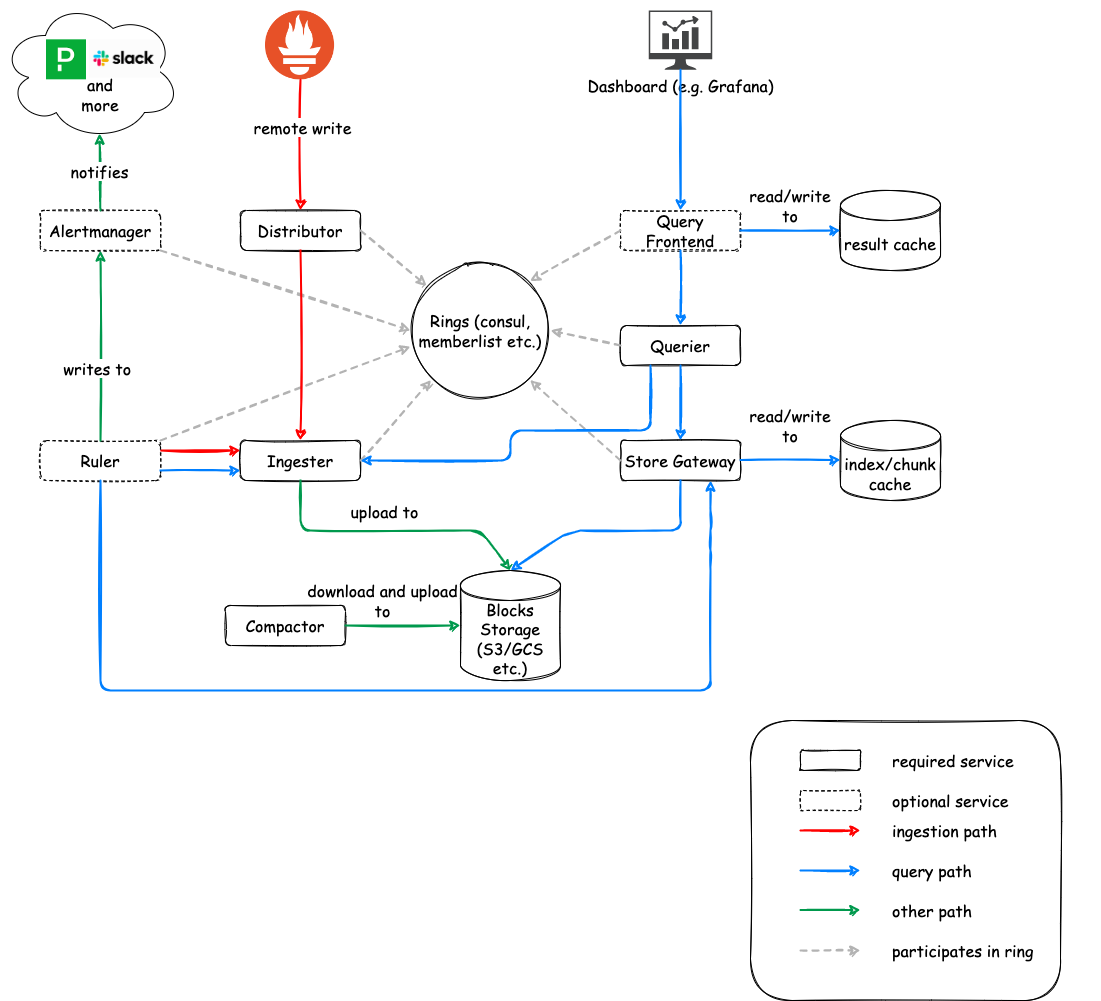
cortex部署
说明
- 目前cortex生产会推荐存在云盘上,没有对本地磁盘做远端存储开发副本功能。因些需要手动搭建一个nfs磁盘共享,并备份功能。
- cortex主要实现了Prometheus远端存储,集群复制数据功能。
- 目前是用本地磁盘存储,cortex建议存放在AWS S3或都其它运存储服务上,让数据从本地管理中解脱出来,这个后期有需求在接入。
consul部署
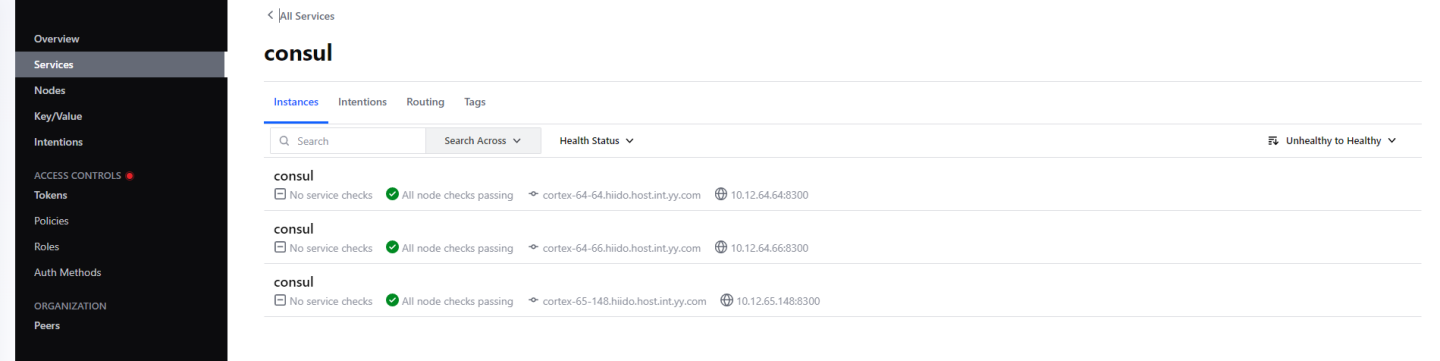
cortex需要consul做分布式协调 配置文件:/etc/consul.d/consul.hcl
# Copyright (c) HashiCorp, Inc.
# SPDX-License-Identifier: MPL-2.0

# Full configuration options can be found at https://www.consul.io/docs/agent/config
datacenter = "bigdata-dc-1"
data_dir = "/data/consul"
#client_addr = "0.0.0.0"
client_addr = " "

# ui
ui_config{
  enabled = true
}
# server
server = true
# Bind addr
bind_addr = "10.12.65.148" # Listen on all IPv4
bootstrap_expect=3
retry_join = ["cortex-64-64.hiido.host.int.xx.com", "cortex-64-66.hiido.host.int.xx.com"]
服务状态
基于supversior进行管理
### cortex启动脚本
onsul.hostname需要配置LSV
 [program:cortex]
command=/data/cortex/cortex -config.file=/data/cortex/conf/consul-config-blocks-local.yaml  -distributor.ring.instance-interface-names=bond0
    -ingester.lifecycler.interface=bond0
    -frontend.instance-interface-names=bond0
    -ruler.ring.instance-interface-names=bond0
    -alertmanager.sharding-ring.instance-interface-names=bond0
    -compactor.ring.instance-interface-names=bond0
    -store-gateway.sharding-ring.instance-interface-names=bond0
    -ring.store=consul
    -consul.hostname=cortex-65-148.hiido.host.int.xx.com:8500
    -distributor.replication-factor=3
autostart=true
autorestart=true
startretries=5
stderr_logfile=/data/logs/cortex/stderr.log
stderr_logfile_maxbytes=50MB
stdout_logfile=/data/logs/cortex/stdout.log
stdout_logfile_maxbytes=50MB
supervisor管理
ubuntu 安装supervisor服务
apt-get update -y
apt-get remove supervisor -y
apt install python-pip -y
pip install supervisor

/usr/local/bin/supervisord
echo_supervisord_conf > /etc/supervisord.conf
-- add files = /etc/supervisor/conf.d/*.conf
supervisord -c /etc/supervisord.conf

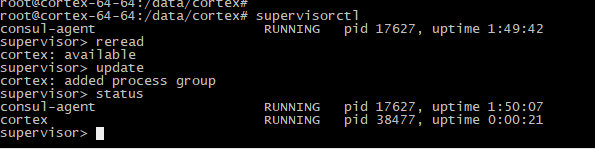
supervisorctl status
使用
prometheus接入
X-Scope-OrgID不可重复,fake是默认的
需要定义一个规则例:项目名_服务名_自定义区分
cortex会根据这个名字来分不同目录存储,实现租户数据隔离
remote_write:
  - url: http://10.12.xx.3:9009/api/v1/push
    headers:
      X-Scope-OrgID: fake

#Read data from Cortex.
remote_read:
  - url: http://10.12.xx.3:9009/prometheus/api/v1/read
    headers:
      X-Scope-OrgID: fake
关于查询加速
如果查询量很大,需要考虑启用cache来加速查询,可配置为redis或memcahce,详细启用参考
https://cortexmetrics.io/docs/configuration/configuration-file/#redis_config
磁盘存储
介绍
没有云存储预算,这里是基于磁盘NFS功能做统一存储
NFS文档:https://ubuntu.com/server/docs/service-nfs
apt install nfs-kernel-server
exportfs -a
sudo echo /data1/nfs/cortex  *(rw,sync,no_subtree_check,no_root_squash) >> /etc/exports

# client
apt install nfs-common
sudo mkdir -p /data/nfs_client/cortex
usermod -a -G execute root

# mount
sudo mount fs-dn-12-65-xx.xx.com:/data1/nfs/cortex/ /data/nfs_client/cortex

sudo mount -t nfs fs-dn-12-65-xx.xx.com:/data1/nfs/cortex/ /data/nfs_client/cortex
远程同步 备份数据
nohup rsync -rav --append --delete  cornfs@fs-hiido-dn-12-65-xx.xx.com:/data1/nfs/cortex/  /data1/nfs/cortex/ >> /data1/nfs/rsync.log 2>&1  &

-----软链
mkdir -p /data2/nfs/cortex/tsdb/
chown -R cornfs:root /data2/nfs/cortex
mv    /data1/nfs/cortex/tsdb/yarn_app_finish /data2/nfs/cortex/tsdb/
ln -s /data2/nfs/cortex/tsdb/yarn_app_finish    /data1/nfs/cortex/tsdb/yarn_app_finish